Article: How to Print Posters at Home for a Trial Wall Layout
How to Print Posters at Home for a Trial Wall Layout
How to Print Posters at Home for a Trial Wall Layout
A poster can look perfectly proportioned on a product page and surprisingly small above your desk. Learning to print posters at home for a trial wall layout lets you test size, spacing and placement before choosing frames or making holes.
The goal is a temporary paper mockup, not a substitute for finished wall art. Ordinary printer paper is enough to check the footprint of a racing poster, compare two arrangements or see whether a frame crowds a nearby shelf. With accurate dimensions and a few careful print settings, you can make that test genuinely useful.
Start With the Finished Frame Size
Measure the wall area you can actually use, accounting for furniture, switches, lamps and doors. Then distinguish between the artwork dimensions and the frame’s outside dimensions. Your wall needs room for the latter.
For example, an 18 × 24-inch image placed inside a frame measuring 22 × 28 inches overall needs a 22 × 28-inch placement template. Those are illustrative measurements, not product-size recommendations. Check the dimensions of your chosen print, mat and frame before preparing the file.
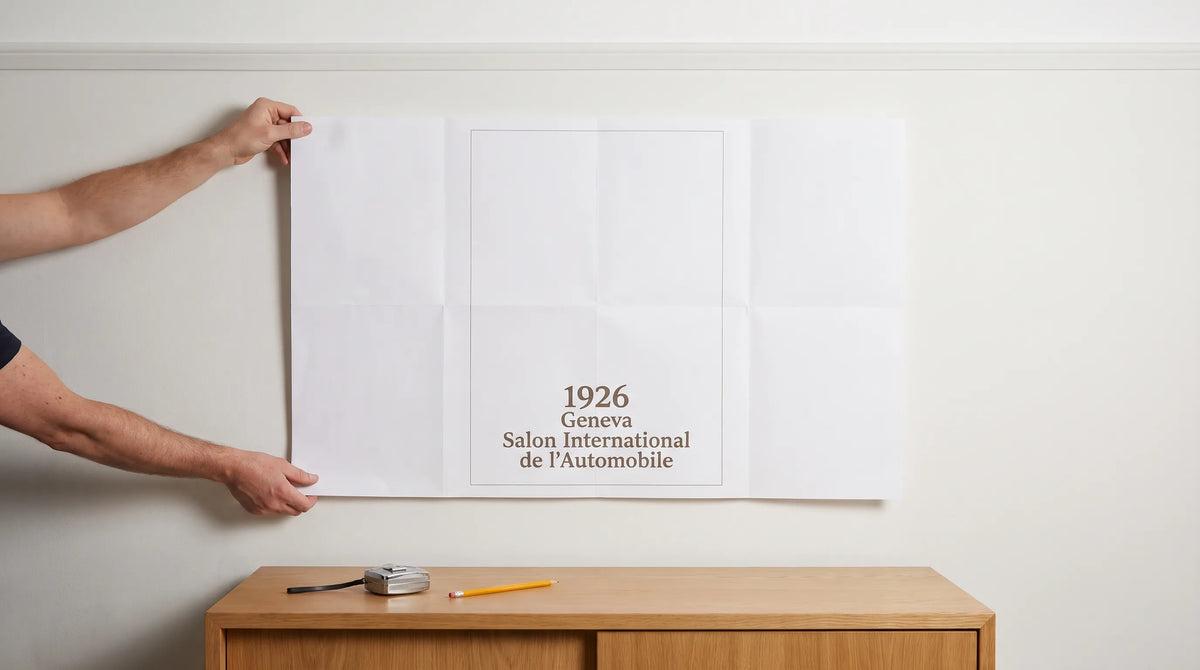
Draw both boundaries on your mockup: an inner rectangle for the artwork and an outer rectangle for the frame. This prevents a common mistake, approving the image size and discovering later that the framed piece overwhelms the space.
Tools to print posters at home accurately
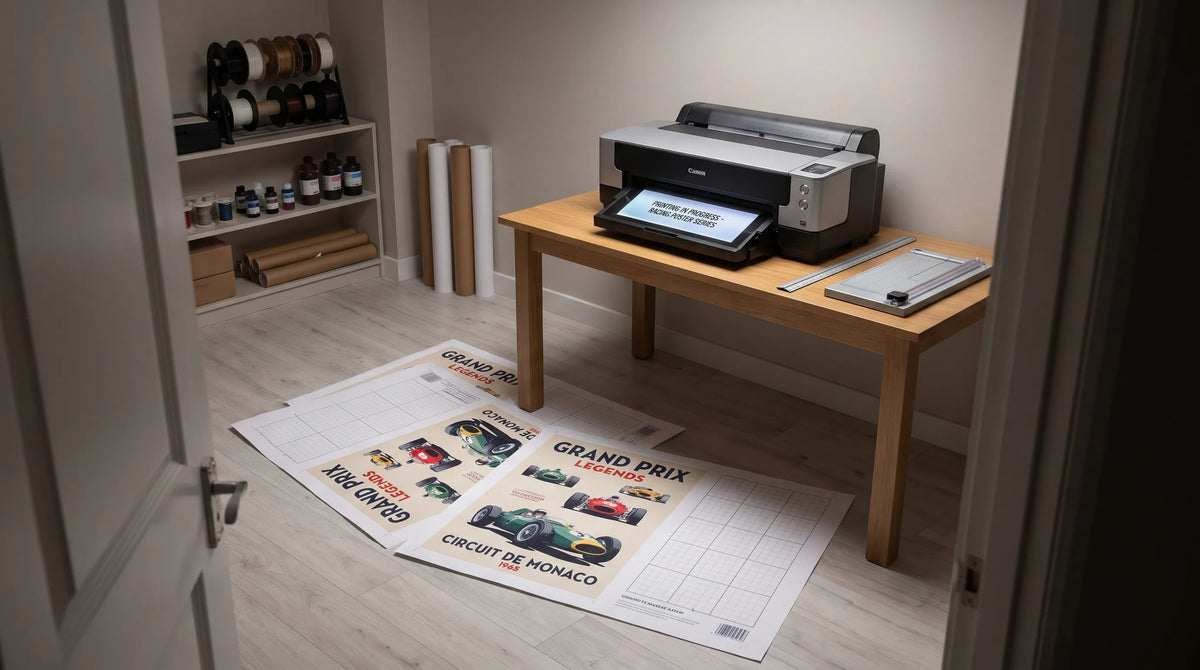
A regular inkjet or laser printer can create a large trial layout by spreading one design across several sheets. This is called tiled printing. You trim or overlap the sheets, then assemble them into one full-size template.
You need a ruler, scissors or a craft knife, suitable cutting protection and tape for joining the sheets. Standard US Letter paper works well for a disposable test. Use paper compatible with your printer rather than buying photo paper for a layout you will discard.
For software, choose a layout application with custom page dimensions and PDF export, such as LibreOffice Draw. Adobe Acrobat Reader provides a Poster printing mode for tiling the resulting PDF. Adobe’s instructions for printing posters and banners explain the relevant controls.
Prepare a Single-Page, Full-Size PDF
Set your document to the intended physical dimensions of the complete template. A 22 × 28-inch framed footprint should begin as a 22 × 28-inch document, not a Letter-size document that you enlarge by guesswork.
Add the artwork boundary, frame outline and a small label identifying the layout. If you are comparing options, label them clearly so you can distinguish photographs later.
Before you print posters at home, export the layout as a single-page PDF and verify its page dimensions. Acrobat’s Poster mode will divide that oversized page into printable tiles. You do not need to build each Letter-size tile manually.
Use only images you own or have permission to reproduce. A store product photograph is a reference, not a downloadable print license. Without an authorized image file, use a labeled rectangle and simple color blocks to represent the composition.
Set Up Tiled Printing Without Changing the Scale
Open the PDF in the desktop version of Acrobat Reader. On Windows or macOS, open Print and choose Poster under Page Sizing & Handling. Printing from a browser or macOS Preview may not provide equivalent tiling controls.
Start with these settings:
| Setting | Suggested starting point | Purpose |
|---|---|---|
| Paper size | The paper actually loaded | Keeps the tile layout consistent with the printer |
| Tile Scale | 100% | Preserves the PDF’s intended physical dimensions |
| Overlap | 0.25 inch | Gives adjacent sheets a shared alignment area |
| Cut marks | Enabled, if available | Helps identify trimming positions |
| Labels | Enabled, if available | Helps organize the printed sheets |
Check the printer’s own settings as well. Disable extra fit-to-page scaling and avoid borderless expansion, which can enlarge or crop the output. Most home printers have nonprintable margins, so the preview may show more sheets than a simple paper-area calculation suggests.
Check Scale Before Committing Ink
Print a separate calibration page containing a four-inch line at 100% and measure it with a ruler. If it is shorter or longer, resolve the scaling settings before printing the complete template.
When you print posters at home across multiple sheets, accurate scale matters more than saturated color. Draft or economy quality is usually sufficient for checking placement, provided the outlines remain easy to see.
Trim and Assemble the Paper Template
Lay the pages on a clean floor or table in the order shown by the preview or printed labels. Align neighboring sheets using repeated image details, boundary lines or overlap marks.
Trim the margin from one sheet at each join and leave the neighboring sheet’s overlap underneath. Cutting both edges away indiscriminately can remove the shared alignment area. Tape the joins from the back once everything lines up.
Measure the assembled width and height before putting it on the wall. A small error repeated across several joins can noticeably change the final footprint.
Keep the template lightweight. Use removable tape appropriate for your wall finish and test it in an inconspicuous spot first. Avoid applying tape to uncured paint or delicate surfaces.
Choose Paper and Image Quality for the Test
Plain paper is appropriate for testing dimensions, but it cannot reliably predict a finished print’s texture, blacks or color balance. Home printers, office paper and room lighting all affect what you see.
If you have permission to print an image, calculate resolution at its final size. For example, an 18 × 24-inch image at 150 pixels per inch requires 2,700 × 3,600 pixels. That can be useful for a room-distance mockup, although fine lettering may need more detail.
Inspect the result from your normal viewing position rather than judging only from inches away. A low-resolution reference might communicate color balance adequately while remaining unsuitable for finished artwork.

Test Italian Racing Art as a Focal Point
The 1937 Gran Premio d’Italia Milano Poster provides a useful example because its composition has several distinct visual weights: a bright red racing car, a silhouetted city arch, clouds of exhaust and bold yellow “Milano” lettering.
The artwork draws on the visual language of interwar motorsport advertising, when racing imagery combined machines, urban landmarks and prominent typography to communicate speed and spectacle. Its appeal extends beyond car enthusiasts to viewers who appreciate transport history and graphic design.
Treat the design as stylized racing artwork rather than using it to infer a particular car model or race result. For a layout test, concentrate on how its strongest elements behave at room scale. Does the yellow lettering remain readable from the doorway? Does the red car create a balanced focal point above the furniture?
Interior Design: Evaluate the Layout From the Room
When you print posters at home for a decorating trial, assess the composition from where you actually sit, stand and enter. A layout that looks balanced directly in front of the wall can feel crowded from an adjacent doorway.
For this racing design, warm wood, pale walls and restrained black accents offer a calm setting for the red and yellow. These are decorating suggestions, not requirements. In a colorful room, repeat one accent from the artwork rather than trying to match every shade.
Leave the template in place through daylight and evening lighting. Check whether a desk lamp competes with the image or whether a nearby shelf makes the grouping feel compressed.
Include Mats and Future Neighbors
A mat changes both the footprint and the amount of quiet space around the image. If you are undecided, compare two paper outlines with different border widths. Transit Art’s guide to choosing mat borders for paper posters explains the measurements to resolve before framing.
For a possible gallery wall, add blank rectangles representing future pieces rather than inventing specific product sizes. Test consistent gaps and one shared alignment, such as a common top edge. The principles behind creating a cohesive gallery wall with framed prints can help you evaluate the whole arrangement.
Know When the Home-Printed Trial Has Done Its Job
A taped mockup answers practical questions about scale and position. It does not establish how the finished paper, framing or colors will look.
You can print posters at home for inexpensive layout experiments, use a local print shop for an authorized large-format proof or order the finished artwork once the arrangement is settled. Ask a print shop about reproduction permissions and file requirements before supplying an image.
Transit Art offers gallery-quality posters printed on FSC-certified paper. Keep that finished display separate from your disposable planning template: each serves a different purpose.
Frequently Asked Questions
Can you print a poster on a regular home printer? Yes. Tiled printing divides a large PDF across smaller sheets. You then align and join them to create a full-size trial layout.
Can I print posters at home for free? Software may be free, but paper and ink or toner still have a cost. For a size-only test, an outline template uses less ink than a full-color image.
Why is my assembled poster smaller than expected? Check for fit-to-page scaling in both the PDF application and printer settings. Tile Scale should be 100%, and the original PDF must have the intended physical dimensions.
Can I print an image from a store product page? A product listing does not itself grant reproduction permission. Use an authorized file or make a plain size template while referring to the listing separately.
Choose the Artwork After the Layout Works
Photograph the arrangement you prefer and record its outside dimensions, spacing and position. Then remove the temporary sheets. With the proportions resolved, you can choose the finished print and frame knowing how the artwork will sit within your room.